
BeaterCore Guides
Repair, pack the trunk, and finish events without walking home.
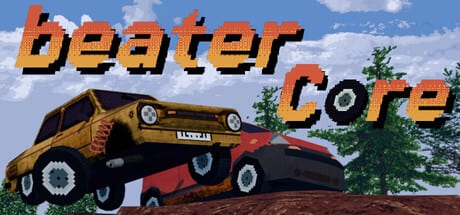
BeaterCore is not a typical arcade racer that hands you a perfect car and a countdown. You buy a cheap rusty beater, wrench it in first person, and then take that same tired machine into career events, local split-screen, and online races. This hub is the map for every how-to on the wiki: what to do after the prologue, which keys actually matter, how a three-race event is structured, and why a spare tire on the roof is worth more than a pretty interior.
If you just launched from Steam, start with the getting started walkthrough. It covers the prologue-to-hub loop, the auto parts store, and the first cash mistake most players make. Pair it with the controls guide so analog drift, map panning, and trunk cycling are not mysteries in the middle of a stage.
What these guides solve
Players bounce off BeaterCore for three reasons. First, the garage is a walking sim with interact prompts, not a pause-menu upgrade screen. Second, events are not a single heat — they are a sequence with field repair in between, and trunk space is the real difficulty slider. Third, parts wear in online races the same way they wear in career, so a pretty paint job does not survive a contact event.
Use this hub in that order:
- Getting started — prologue, hub, first purchases.
- Controls — keyboard, pad, deadzone, map, trunk.
- Career walkthrough — events, rewards, rest days, seasons.
- Garage repair — wheels, filters, engine, oil, spark plugs.
- Field repair — what to pack for three stages.
- Tuning — tires versus surfaces, budget versus glory.
- Multiplayer — split-screen, LAN, Steam invites, online wear.
- Money and the parts store — 500-cash wheels, rest days, junk parts.
- Tracks and seasons — hub pan, ice, dirt, field-repair icons.
- Review — who the game is for after launch.
When you need a ranking instead of a walkthrough, jump to the cars tier list and the parts tier list. Those pages do not invent model names the game has not published; they rank jobs, loadouts, and failure points.
How an event actually plays
A typical career event is a short campaign, not one flag. You stage the car in the garage, drive to the hub map, pick a time trial or contact race, and then run multiple heats. Between heats you get a field-repair window. That window is why the field repair guide exists: a car that finishes heat one with a shredded tire and no spare is done, even if you were fastest on paper.
The garage is first person. You walk up to a wheel, press interact, pull it, and either store it or fit a replacement. Playtests show a tutorial tire already worn, a spare that can sit on the roof, and an auto-mount on race reset if you packed that spare. The garage repair page walks that loop without treating the auto parts store like a bottomless catalog.
Career, characters, and money
Career mode is the spine. You talk to NPCs such as Boris, take sponsorships, and complete quests that unlock more to do. Relationships are not flavor text — they are how extra content opens. Read characters and NPCs and the sponsorships page when you are ready to spend reputation instead of only cash.
Money is tight on purpose. A single wheel in the tutorial store can cost around half of a fresh wallet. That is why this wiki keeps sending you back to repair priority instead of “buy the fastest car.” The tuning guide is about matching tires to ice, dirt, and holes, not about a fantasy meta sheet.
Local nights and online nights
Split-screen supports up to four people on one machine, and keyboard play is a first-class option, not an afterthought. Online and LAN races still apply wear, so the friend who never changes oil will slow the lobby down. The multiplayer guide covers that, plus Remote Play Together and why a host should agree on mods before a session. For installing community tracks, use mods and the editor.
After you can finish an event
Once you can complete a three-heat event without a tow, deepen the loop:
- Check system requirements if dust, rocks, and render scale are eating frames.
- Read patch notes after 0.3.0 mod support and the Steam launch.
- Keep official links handy for Discord, Steam, and itch.io builds.
BeaterCore launched on Steam on 9 September 2026 for Windows and Linux. It is a premium purchase, not a Roblox experience, and it does not use redeem codes. If a page on this wiki talks about “codes,” it is in the wrong genre — come back here and pick a real guide instead.
Frequently Asked Questions
Quick answers to the most common BeaterCore questions.
Which BeaterCore guide should I open first?
Start with getting started, then controls. Pack a spare tire before you open a three-race career event.
Do these guides assume keyboard or controller?
Both. Keyboard is fully supported, including split-screen. Analog deadzone lives in the properties menu next to throttle and steering — details are in the controls guide.
Is there a single walkthrough for the whole career?
The career walkthrough covers event structure, rest days, and seasons. Individual systems live in garage repair and field repair.