
BeaterCore Controls
Keyboard is first-class. Deadzone hides behind a small properties button.
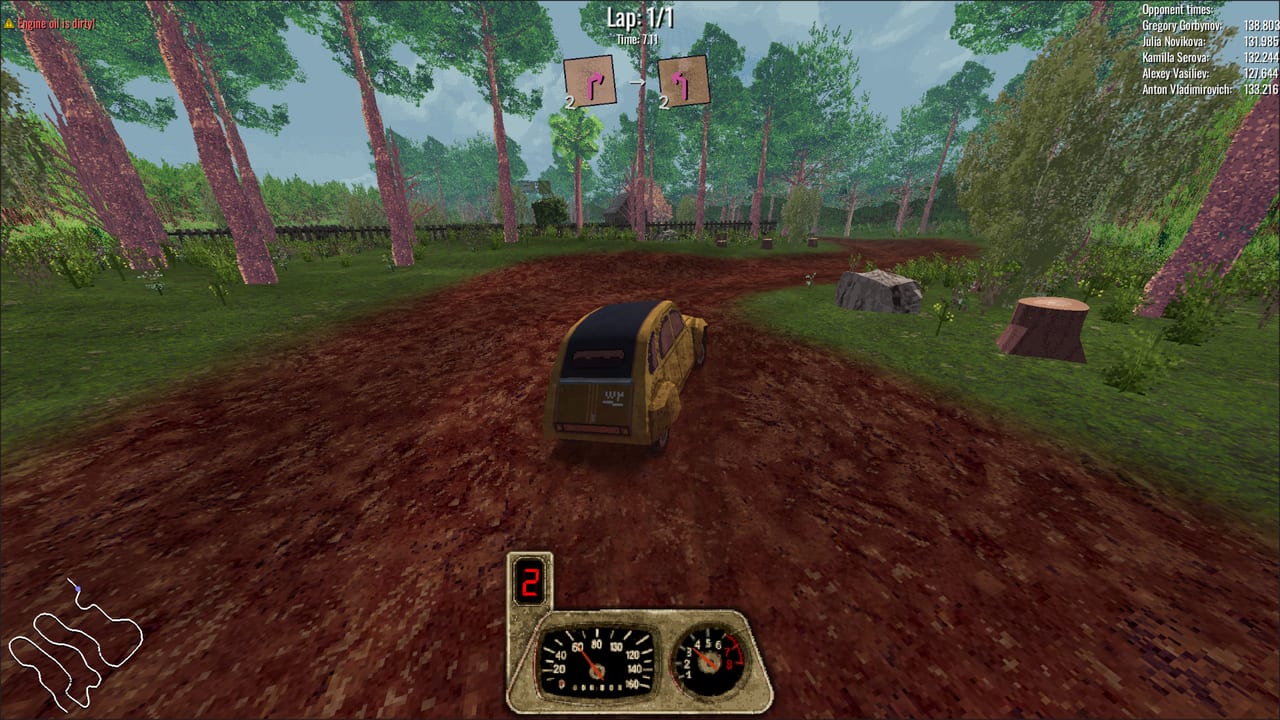
BeaterCore is two control schemes in one save: a first-person walking sim in the garage and an arcade racer on the dirt. If you only bind throttle, you will still get lost on the hub map and miss trunk items between heats. This page is the bind sheet plus the setting players keep missing after launch.
Keyboard is fully supported, including local split-screen. You do not need a pad to finish career. Pads work — Xbox, DualShock over USB, DualSense over USB — with partial controller support listed on Steam. Analog drift is a settings problem, not a missing feature.
Default keyboard loop
Playtests and the in-game prompts agree on this core set. Always confirm in the settings screen; the game lets you rebind.
- Walk: WASD in the garage, hub, and auto parts store.
- Sprint: Shift. The garage is larger than it looks once you start carrying wheels.
- Interact / pick up / fit: E. Walk up to a wheel, a door, an NPC, or a shop item and press it. Some pad tutorials show X for the same prompt.
- Drive: W to accelerate, A/D to steer, brakes on the bound brake key (often S or a pad trigger). Treat this as arcade, not a sim clutch.
- Look / camera: mouse while walking; in the car the camera follows unless you bump analog look on a pad.
- Pause / hub: Escape returns you to the hub from several loops. Do not mash it during an NPC dialog.
- Map pan: middle mouse on the hub event map. If you cannot find the track, this is why.
- Trunk cycle: later builds added the ability to cycle trunk items instead of only grabbing the first slot. Bind it and use it in field repair.
Any-key prompts accept mouse clicks as well as keys. If a “press any key” card looks frozen, click.
Pad setup and the hidden deadzone
Steam discussions after launch still mention a car that steers a hair and a first-person camera that creeps. The deadzone exists. Open settings, find throttle, brakes, and steering, then open the properties menu attached to those analog actions. That is where deadzone and linearity live. The button is easy to miss; several reviews thought it was absent until someone pointed at the tiny control next to the bind field.
Set deadzone high enough that a resting stick does not turn the wheel. Set linearity so the first millimeters of stick are not a full lock. Then save and walk in first person — if the camera still rotates while you are idle, raise look deadzone too.
DualShock and DualSense are listed as USB only on the store page. Wireless-only setups may simply not bind. Xbox pads are the safer plug-and-play option. Split-screen can mix keyboard and pads on one machine; that is a selling point, not a workaround. See multiplayer for four-player layout.
Garage versus track
Do not use race muscle memory in the workshop. In the garage you are on foot. You walk to the corner, press interact, and carry the part. You can put a wheel on the ground, fetch another, and fit it. That is why the garage repair guide reads like a walking tour.
On track you are in the seat. Arcade throttle is generous. Potholes and ice still punish a full lock at speed. If you are here because the car feels “too twitchy,” check deadzone first, then tire choice in tuning, then whether the current rubber is already bald from heat one.
Hub map, store, and menus
The hub is a place, not a list. Middle-mouse pan is the difference between finding the auto parts store and wandering the lot. Event selection UI improved across demo patches (0.0.20 onward) with clearer stage display. Sliders show their values. If a slider looks like a mute switch, look at the number.
Dialog with NPCs can scroll. If a sponsorship pitch is cut off, look for the scroll bar added in 0.1.1-era updates. Gamepad volume sliders were fixed in 0.0.14 so pad users are not stuck with silent menus.
Accessibility and rebinding
Steam lists configurable controls and an interactive tutorial. Playable without QTEs. If a key fight with sprint and interact, rebind before a three-heat event rather than during field repair. Render scale and light quality are not binds, but they sit next to this page in spirit — a slide-show garage is harder to wrench. Use system requirements if the frame time is the real input lag.
A five-minute control checklist
- Rebind interact if E fights another tool you use.
- Confirm sprint.
- Open analog properties; set deadzone and linearity.
- Pan the hub with middle mouse once so the muscle memory exists.
- Cycle the trunk once in the garage before a real event.
- Drive a short time trial before a contact booking.
When those six are done, go back to getting started and buy the spare tire. Controls do not finish heat three. They only stop you from losing a wheel because the camera was drifting.
Local split-screen still uses these binds per viewport. Keyboard remains valid for player two. Online races do not change the map; they only keep wear. If a lobby feels undrivable, it is usually deadzone or bald tires, not a different input mode.
Keep this page as the bind reference. When something still feels wrong after a patch, check patch notes — input properties and config file format already moved once during the demo, from an older Ron file into the current settings layout.
Frequently Asked Questions
Quick answers to the most common BeaterCore questions.
Does BeaterCore support keyboard-only play?
Yes, including local split-screen. Walk with WASD, interact with E, drive with W/A/D, pan the hub with middle mouse. Full list is on this page; start racing from getting started.
Where is stick deadzone?
Open the properties menu next to analog actions such as throttle, brakes, and steering. The button is small. Raise deadzone until idle sticks stop turning the car.
How do I move the hub map?
Middle mouse pans the event map. If you cannot find the store or the track, you are probably clicking instead of panning.
Can I mix keyboard and controllers in split-screen?
Yes. Keyboard is first-class. See multiplayer for four-player local play and online races.